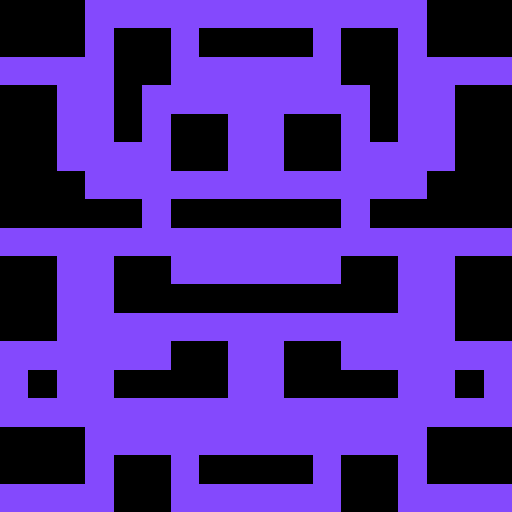

In this blog I will explain the logic used to create unique Wangdenticons for a given text.
This whole thing started not so long ago when I was learning Elixir from Udemy. The instructor was explaining how Identicon works and how it is generated. The basic idea of an Identicon is to hash a given text using any cryptographic hash function (for uniqueness), and use that hash value to generate image following a certain pre-defined rules.
It can be be any algorithm of your choice, e.g.- take first 3 values in hexadecimal representation of the hash value for the color, or take last 3 values for the color and use the other values to generate a specefic pixel based on the value, etc.
In my case I mixed Identicon and Wangtiles to create Wangdenticon (github source code).
Following is the rule I used to generate Wangenticon based on given text.
High level description of Algorithm
First, the text is hashed using md5 hash function to generate 128-bit hash value. The hash value is stored as an array of length 16, each position containing an 8-bit value.
hex_list = list(md5(name.encode()).digest())– TODO: Image here illustrating above process
First 3-bytes are used to decide the foreground color.
fgcolor = hex_list[:3]– TODO: Image here illustrating above process
For a given gridsize, a 2d-array of (gridsize * gridsize) is created.
This array will be filled with a wangtiles based on the following algorithm, to produce the final image.
We first calculate an offset,
xub = (gridsize + 1) // 2Then, we iterate over all the indexes (y, x)
(for only vertically left-half portion of the 2d-array, because the image has to be symmetric,
for a given left tile we can generate the corresponding opposite right tile (in code using OPPOSITE_MAP)).
For each index (y, x) we calculate a position in hex_list using
tile = hex_list[(y * xub + x) % 15]Then we fill in the left & right positions of the image generated using the above number: tile
and an tile generating algorithm wang_tile (described below).
If (y, x) is any index in the middle column of the image (in case of odd gridsize),
a predefined middle_tile is used to fill that position instead. This middle_tile
is based on the last value of hex_list array.
# predefined middle tiles (they generate symmetric wang tiles)
MIDDLE_TILES = [0, 1, 4, 5, 10, 11, 14, 15]

middle_tile_n = MIDDLE_TILES[hex_list[-1] % len(MIDDLE_TILES)]
Tile Generating Algorithm
Now let’s look at the tile generating algorithm-
- For a given integer
n, we calculate a valuembetween0 to 15using-
m = abs(n) % 16- A tile is a 3x3 grid containing pixel values. These will be either
fgcolor, or a givenbgcolor - Since,
mis between0 to 15, it can be represented as a4-bit number. We will be using these bits to decide which side of the tile has to be filled withfgcolororbgcolor